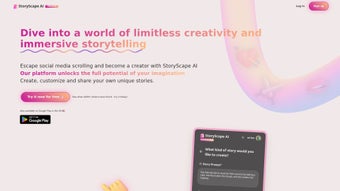

Download StoryScape – AI‑Powered Storytelling Tool for Creatives
Overview
StoryScape is an innovative storytelling application that blends the conversational strength of Chat GPT with the visual imagination of DALL‑E. Designed for writers, educators, marketers, and anyone who loves to craft narratives, StoryScape turns a simple idea into a fully‑fledged story complete with dialogue, plot twists, and custom illustrations. The platform’s AI‑driven engine helps users generate rich text passages, suggest character arcs, and even create vivid images from textual prompts, making the creative process faster and more immersive.
Whether you’re a beginner looking for a guided writing experience or a seasoned author seeking instant inspiration, StoryScape provides a personalized, interactive canvas that adapts to your style. The tool is cloud‑based, ensuring that updates, new models, and additional content packs are delivered securely and automatically. By marrying language and visual generation, StoryScape not only speeds up the drafting phase but also encourages experimentation, allowing creators to explore multiple story directions without the usual writer’s block.
Its intuitive interface, real‑time preview, and collaborative sharing options make it a versatile companion for solo projects, classroom assignments, or team‑based content creation. In short, StoryScape redefines what a storytelling app can do, delivering a seamless blend of text and image that helps you bring any narrative to life with just a few clicks.
Key Features & Benefits
- Chat GPT‑Powered Text Generation: Generates plot outlines, character dialogues, and descriptive passages on demand.
- DALL‑E Image Creation: Transforms scene descriptions into high‑resolution illustrations instantly.
- Interactive Prompt Engine: Refine story elements by adjusting tone, genre, and complexity with simple sliders.
- Real‑Time Collaboration: Share drafts with teammates or classmates, comment, and edit together in the cloud.
- Template Library: Access ready‑made story frameworks for fantasy, sci‑fi, mystery, and more.
- Export Options: Download stories as PDF, ePub, or plain text, and export images in PNG or JPEG.
- Multi‑Language Support: Write and generate content in over 20 languages, expanding global reach.
- Secure Cloud Sync: Automatic backups keep your work safe and accessible across devices.
- Regular AI Updates: Benefit from the latest OpenAI model improvements without manual upgrades.
- Cost‑Effective Pricing: A free tier for casual users and an affordable premium plan for professionals.
These features combine to create a powerful creative suite that removes technical barriers and lets imagination take the lead. By automating repetitive writing tasks, StoryScape frees up mental bandwidth for higher‑level storytelling decisions, such as world‑building and character development. The visual component, powered by DALL‑E, adds a unique selling point: you can preview a scene’s look before you even finish the paragraph, which is especially valuable for graphic novel creators and marketers who need storyboards. The collaborative environment also encourages feedback loops, making the tool ideal for classroom settings where teachers can assign prompts and instantly see student output. Overall, StoryScape’s feature set is built around speed, flexibility, and creative freedom, delivering a compelling value proposition for anyone interested in narrative creation.
Installation, Usage & Compatibility
Getting Started
Downloading StoryScape is straightforward. Visit the official website, click the “Download for Windows/Mac/Android/iOS” button, and the installer will begin automatically. The application is lightweight (under 150 MB) and supports both 64‑bit Windows 10/11 and macOS 11+ operating systems. Mobile users can find StoryScape in the Google Play Store and Apple App Store, where the app is listed as “StoryScape AI – Creative Writing.” After installation, launch the program and create a free account using an email address or single‑sign‑on via Google or Apple ID. A brief onboarding wizard walks you through setting your preferred language, genre, and writing style, ensuring the AI tailors its suggestions to your needs.
How to Use the Platform
Once inside, you’ll see a split‑screen interface: the left pane houses the text editor powered by Chat GPT, while the right pane displays generated images from DALL‑E. Begin by typing a short prompt—“A teenage wizard discovers a hidden library in a rain‑soaked city”—and press “Generate.” Within seconds, the AI produces a narrative opening and a matching illustration. You can refine each output by clicking “Edit Prompt” or “Regenerate.” The toolbar offers options to adjust tone (e.g., humorous, suspenseful), word count, and visual style (e.g., watercolor, comic‑book). Saved projects appear in the “My Stories” dashboard, where you can organize them into folders, export files, or share a public link.
System Requirements (itemprop="operatingSystem")
- Windows 10/11 64‑bit, 4 GB RAM, 200 MB free disk space.
- macOS 11 (Big Sur) or later, 4 GB RAM, 200 MB free disk space.
- Android 8.0+ (ARM64), 2 GB RAM, 100 MB storage.
- iOS 13+ (iPhone 6S or later), 2 GB RAM, 100 MB storage.
The cloud‑based AI processing means the local machine only needs to handle the UI; all heavy lifting occurs on StoryScape’s secure servers. This design ensures smooth performance even on older laptops or smartphones, provided you have a stable internet connection (minimum 5 Mbps recommended). Frequent automatic updates keep the software current without user intervention, delivering new model improvements, bug fixes, and feature additions securely via encrypted channels.
Pros, Cons, FAQ & Final Verdict
Pros & Cons
- Pros:
- Powerful AI text generation reduces writer’s block.
- Integrated image creation adds visual depth.
- Free tier available for casual creators.
- Cross‑platform compatibility (Windows, macOS, Android, iOS).
- Real‑time collaboration enhances teamwork.
- Regular, secure updates keep the app current.
- Cons:
- Requires constant internet connection for AI processing.
- Premium plan needed for high‑volume image generation.
- AI may occasionally produce generic or repetitive phrasing.
- Limited offline functionality compared to traditional word processors.
Frequently Asked Questions
Is StoryScape really free to use?
Yes, StoryScape offers a fully functional free tier that includes unlimited text generation and a limited number of image renders per month. Premium plans unlock higher image quotas and advanced collaboration tools.
Can I export my story as an eBook?
Absolutely. StoryScape supports export to PDF, ePub, and plain text formats, making it easy to publish on platforms like Kindle or Apple Books.
How secure is my data on the cloud?
All user data is encrypted in transit (TLS 1.3) and at rest using AES‑256. StoryScape complies with GDPR and CCPA standards, ensuring your drafts and images remain private.
Do I need a powerful computer to run StoryScape?
No. Because the heavy AI processing occurs on remote servers, a modest device with 4 GB RAM and a stable internet connection is sufficient for smooth operation.
Can I collaborate with others in real time?
Yes. StoryScape’s collaboration feature lets multiple users edit the same story simultaneously, leave comments, and track changes, perfect for classrooms or writing teams.
Conclusion & Call to Action
StoryScape stands out as a versatile, AI‑driven storytelling platform that bridges the gap between prose and illustration. Its seamless integration of Chat GPT and DALL‑E delivers a creative workflow that is both fast and richly expressive. While the reliance on an internet connection and the premium pricing for extensive image generation are notable considerations, the overall value—especially for writers seeking inspiration and visual support—is compelling. Whether you’re drafting a novel, creating a marketing storyboard, or simply exploring narrative ideas, StoryScape equips you with the tools to turn concepts into polished stories in minutes rather than hours.
Ready to unleash your imagination? Download StoryScape now and start crafting unforgettable tales today.



.png)



